













 iOS
iOS Android
 Web app
 Windows
 macOS
macOS
Snaarp SlidesCreate. Design. Present. With AI.
Turn Your Ideas
Into Presentations.
Faster.
Create professional presentations from a simple prompt, a document or your data. Snaarp Slides helps you design beautiful slides with AI, collaborate with your team and present with confidence — all in one connected workspace.
checkNo credit card required
checkAI-generated presentations
checkWorks across all devices
snaarp
cloud_doneSaved to Drive



auto_awesome
keyboard_return
auto_awesome
AI is creating your presentation… 9 of 10
1Snaarp
snaarp
Snaarp
A Smarter Way to Work
2The Problem
The Problem
Teams lose hours every week to scattered tools
snaarp2
layers
Too many tools
Work is spread across 8+ disconnected apps
schedule
Lost time
9 hours a week lost switching between them
lock_open
Security gaps
Files shared with no visibility or control
3Our Solution
Our Solution
One connected workspace for every team
snaarp3
Dashboard
All your work
Docs & Slides
Create with AI
Drive
Secure storage
4Market Opportunity
Market Opportunity
SME productivity software in Africa
snaarp4
$1.1bn
2022
$1.5bn
2023
$2.0bn
2024
$2.7bn
2025
$3.6bn
2026
$4.8bn
2027
34%
compound annual growth
5Business Model
Business Model
Simple per-user subscription
snaarp5
person
Starter
Free for 3 users
workspace_premium
Pro
₦3,000 per user
domain
Business
₦6,500 per user
support_agent
Services
Setup & training
6Traction
Traction
Monthly active users, 2026
snaarp6
12k
Apr
17k
May
23k
Jun
30k
Jul
38k
Aug
48k
Sep
4×
user growth in six months
7Go-to-Market
Go-to-Market
Lagos first, then West, East and Southern Africa
snaarp7
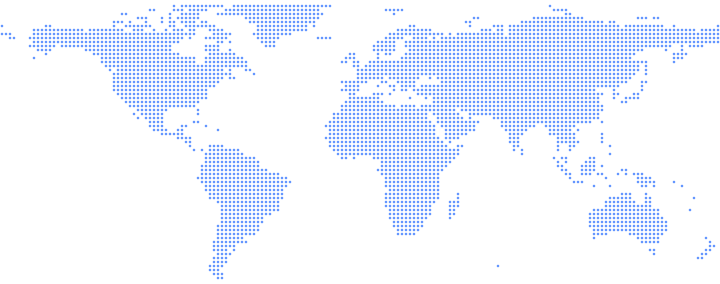
LagosNow
NairobiQ1 ’27
JohannesburgQ3 ’27
LondonQ4 ’27
8Financial Projections
Financial Projections
Revenue forecast (₦bn)
snaarp8
₦1.2
2026
₦2.6
2027
₦4.4
2028
₦6.1
2029
₦8.0
2030
₦8bn
revenue by 2030
9The Team
The Team
Operators who have built and scaled SaaS
snaarp9
 Aisha Bello
Chief Executive
Aisha Bello
Chief Executive
 Daniel Okafor
Chief Technology
Daniel Okafor
Chief Technology
 Fatima Yusuf
Chief Operating
Fatima Yusuf
Chief Operating
10Generating…
From idea
to slides.
In minutes.
to slides.
In minutes.
lightbulb
Start with an IdeaTell Snaarp what you want to present and let AI create the slides for you.
description
Start with a DocumentTurn your reports, proposals or business plans into a presentation.
bar_chart
Start with Your DataTransform your spreadsheets into beautiful, visual presentations.
Beautiful Slides.
Without the Busy Work.
Choose from professionally designed templates and smart layouts. Let AI handle the design, so you can focus on your message.
Works Across the Snaarp Ecosystem.
Your presentations connect with all your Snaarp apps, so your work flows seamlessly.
One workspace.
More possibilities.
More possibilities.
description
Snaarp Drive
Store and organise your files
article
Snaarp Doc
Turn documents into slides
table_chart
Snaarp Sheet
Bring your data to life
mail
Snaarp Mail
Share with clients and colleagues
groups
Snaarp Teams
Collaborate on presentations
videocam
Snaarp Meet
Present in video meetings
hub
Snaarp CRM
Use customer insights in your slides

“Snaarp Slides has completely changed how we create presentations. What used to take hours now takes minutes — and the results look amazing.”
starstarstarstarstar
David O.Head of Strategy, Lagos
Ideas look better
with Snaarp.
with Snaarp.
Ready to Create Presentations That Make an Impact?
Join thousands of businesses already using Snaarp Slides.
Frequently Asked Questions
Snaarp Slides is the AI presentation app in the Snaarp workspace. Create slides from a prompt, a document or your data, refine the design, collaborate with your team and present — all in one place.