








 iOS
iOS Android
 Web app
 Windows
 macOS
macOSOne Identity.
One Card.
Every Connection.
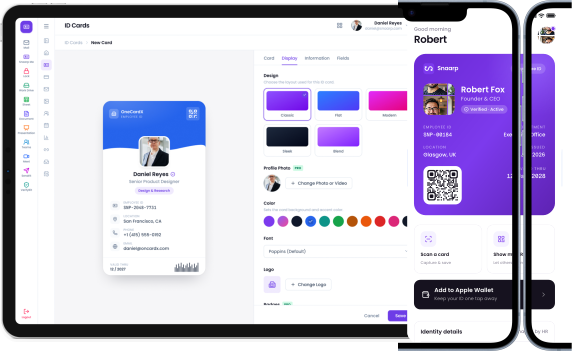
OneCardX gives every employee a powerful digital identity—combining digital employee IDs, business cards, QR profiles, contact sharing and company branding in one connected platform.
Trusted by more than 100,000 of the world's leading organizations




THE PROBLEM
Your Business Identity Is Scattered
Outdated tools, disconnected systems and manual processes create friction, inaccuracy and lost opportunities.
Your employees represent your company everywhere. Their identity shouldn't be managed everywhere.
THE OLD WAY
- Printed ID cards
- Paper business cards
- Outdated email signatures
- Inaccurate directories
- Contacts trapped on devices
- Manual onboarding
- Difficult offboarding
ONECARDX
- Digital identities
- Connected experiences
- Always up to date
- Centralized directory
- Company relationships protected
- Digital onboarding
- Controlled offboarding
THE SOLUTION
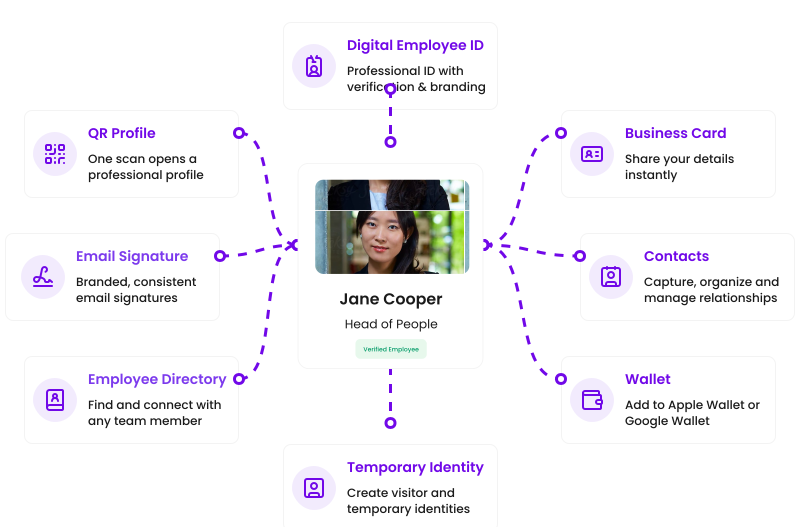
One Identity Powers Everything
Create one authoritative employee identity and use it everywhere your business connects with people
- Create once
- Manage centrally
- Share everywhere
Everything Your Team Needs to Identify, Share and Connect.
Powerful features. Seamless experience. One connected platform.
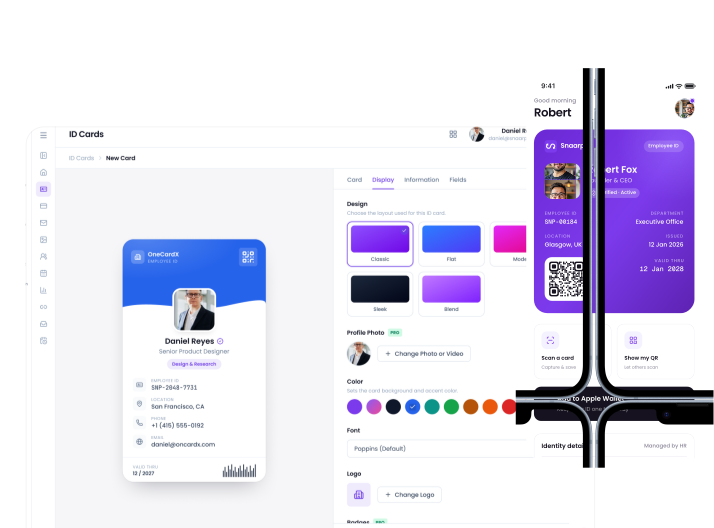
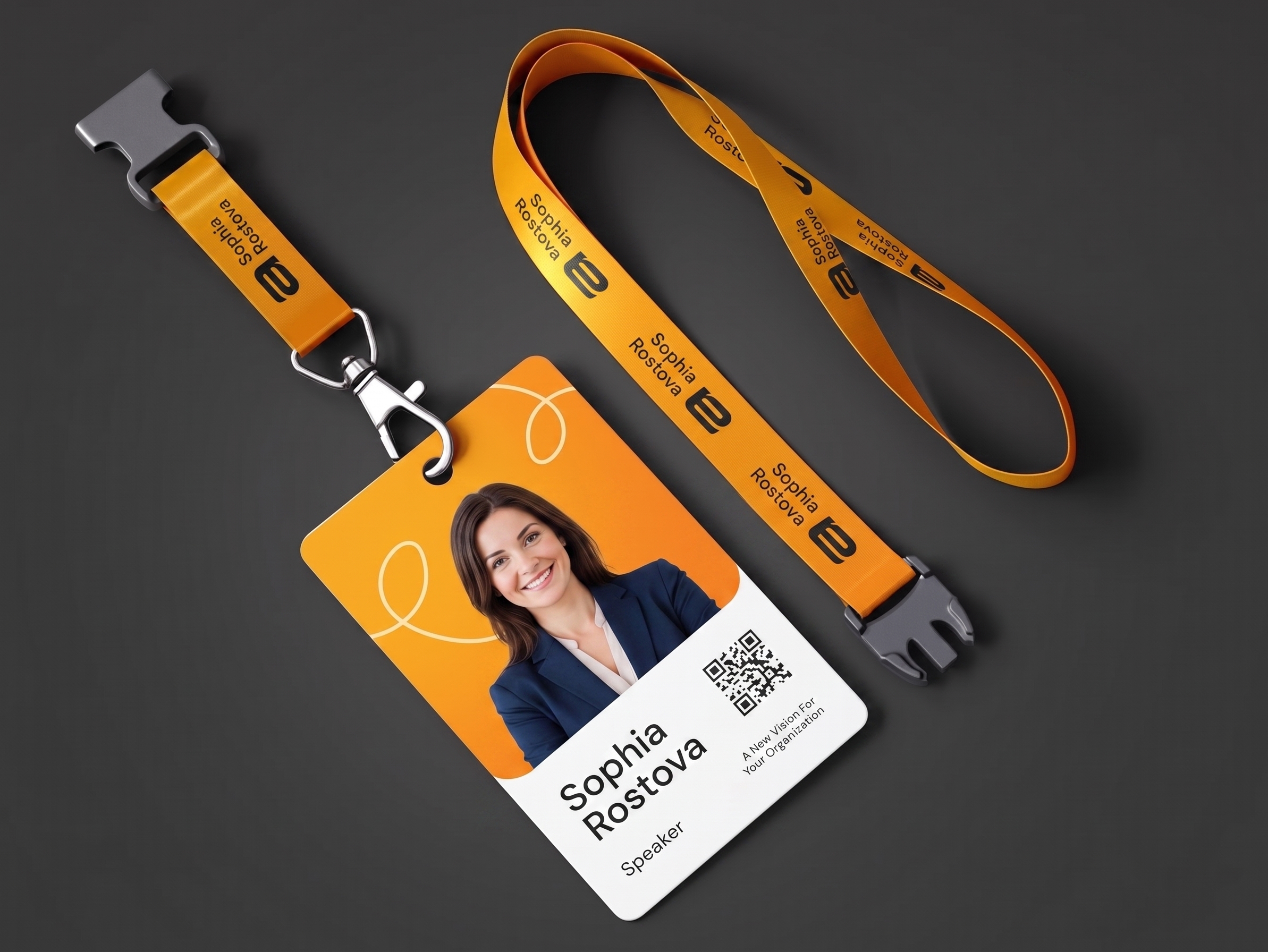
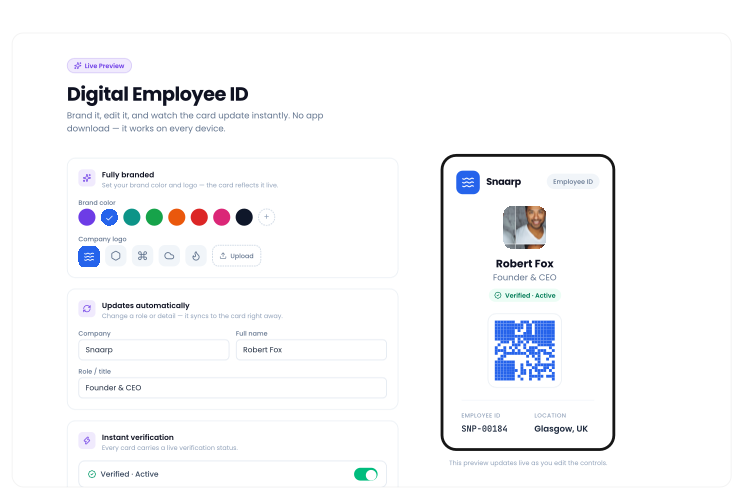
Digital Employee ID
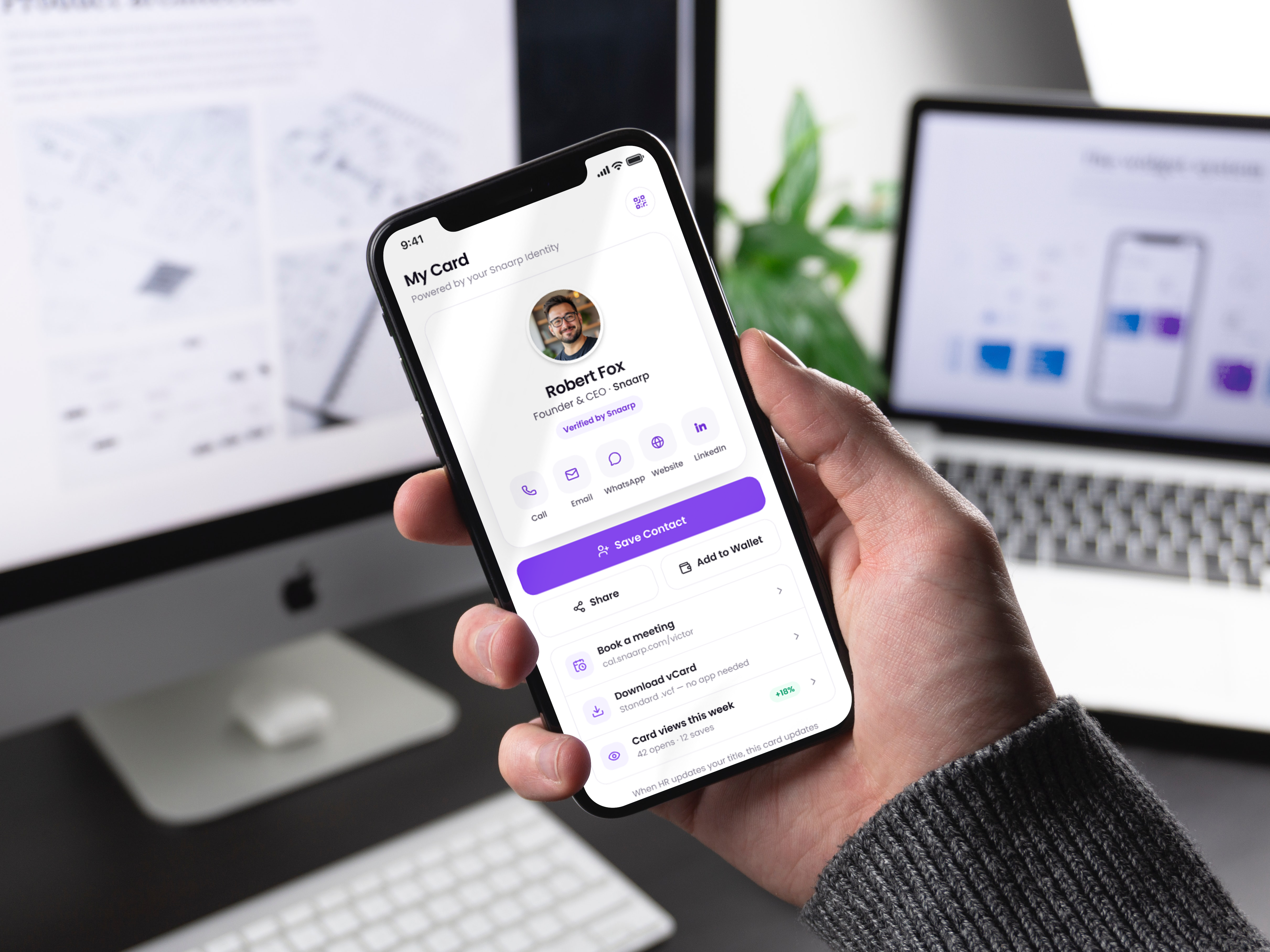
Give every employee a professional digital identity they can carry everywhere
- Instant verification for every employee
- Automatically updates when roles or details change
- Works on any device — no app download required
- Fully branded with your company's logo and colors
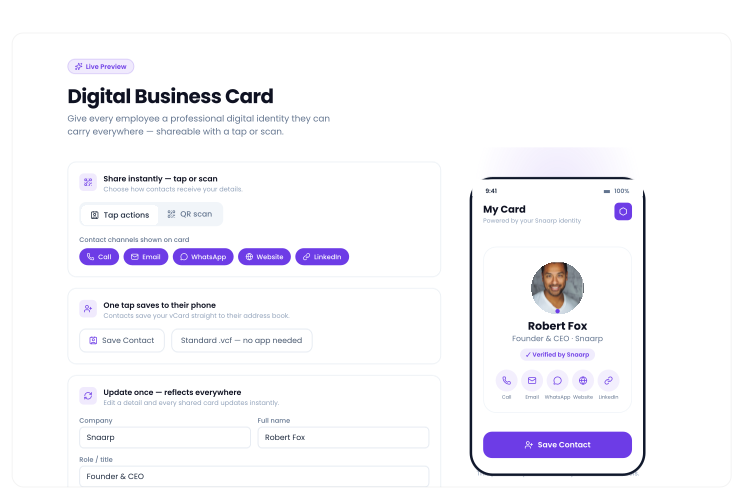
Digital Business Card
Give every employee a professional digital identity they can carry everywhere
- Share your details instantly with a tap or scan
- One tap saves your contact straight to their phone
- Update your info once — every shared card reflects it
- Fully branded with your company's logo and colors
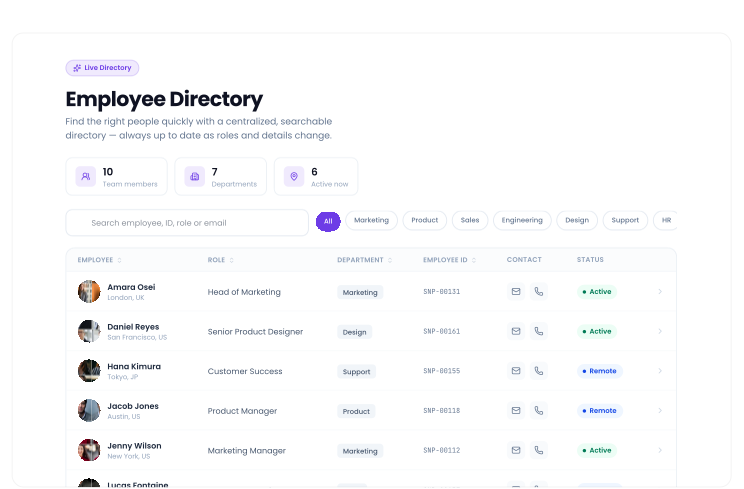
Employee Directory
Find the right people quickly with a centralized, searchable directory
- Search by name, employee ID, or role in seconds
- Always up to date as roles and details change
- One centralized directory for your whole organization
- Quickly connect with any team member's digital card
QR Identity
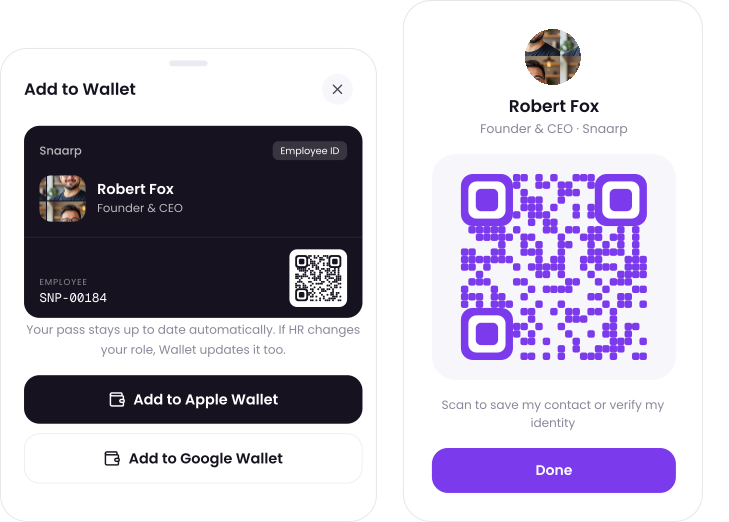
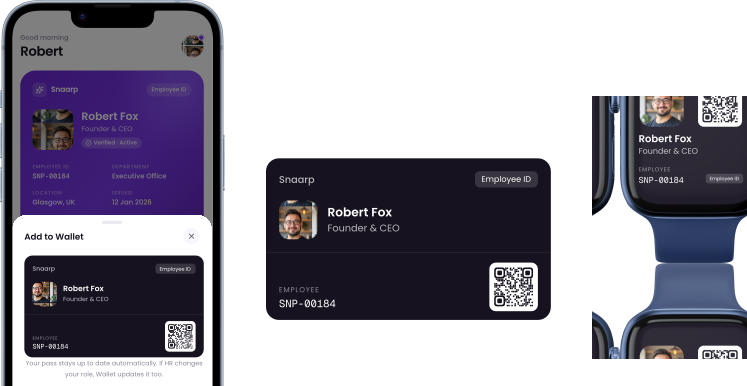
One scan opens a professional, up-to-date profile instantly, Add payment to Apple or Google Wallet
- Instantly share your identity with a single scan
- Add your card straight to Apple or Google Wallet
- Always current — no outdated printed codes
- Verify identity in seconds, online or in person
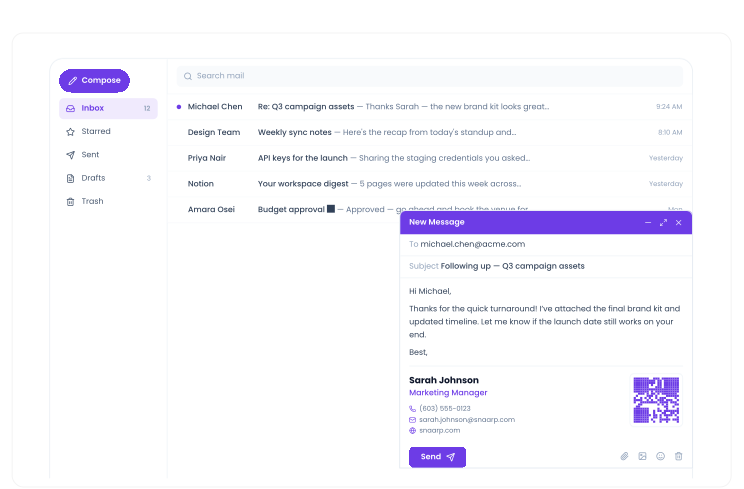
Email Signature
Company-branded email signatures that keep your brand consistent.
- Consistent, on-brand signatures for every employee
- Auto-updates when job titles or contact details change
- Includes a scannable QR code linking to your digital card
- Works with Gmail, Outlook, and any email client
WHY ONECARDX
Your digital identity platform built for modern organizations
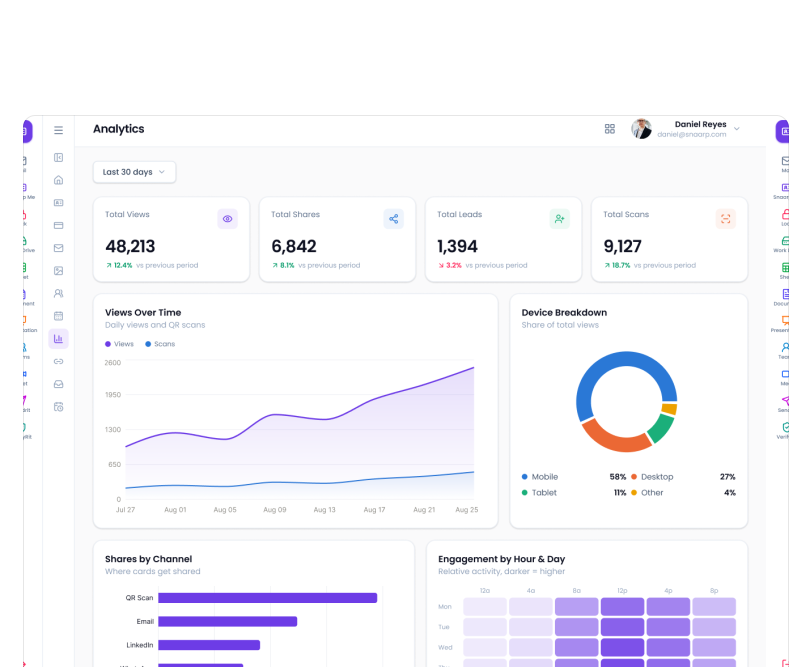
Create, manage and share employee identities across your entire organization. Update once, reflect everywhere.
10K+
Organizations
1M+
Identities Created
99.9%
Up-time & Reliability
One Platform. Every Team Benefits.
HR
Simplify Employee Identity
Create identities when people join, update them when roles change and deactivate them when they leave
IT
Centralize Identity Management
Bring employee identity into a more connected, secure and manageable system
Marketing
Keep Your Brand Consistent
Control digital profiles, email signatures and employee-facing identity experiences.
Sales
Make Every Introduction Count
Share digital business cards, capture contacts and build stronger relationships
Leadership
Build a More Connected Organisation
Give employees a consistent professional identity while maintaining company control.
From Day One to Last Day, Your Identity Stays Connected.
JOIN
Create identity when employees join your team
CONNECT
Give digital ID + business card + QR profile
GROW
Update title, department, location and responsibilities.
SHARE
Connect with customers, partners and colleagues
TRANSITION
Move teams or departments without rebuilding identity
LEAVE
Deactivate identity and protect company relationships
JOIN
Create identity when employees join your team
CONNECT
Give digital ID + business card + QR profile
GROW
Update title, department, location and responsibilities.
SHARE
Connect with customers, partners and colleagues
TRANSITION
Move teams or departments without rebuilding identity
LEAVE
Deactivate identity and protect company relationships


Loved By Modern Teams
OneCardX transformed how we manage employee identities. It's secure, easy to use and our team loves it

Jane C.,
IT Director, HealthTech Ltd.
The real-time verification feature gives us confidence in every interaction—whether online or offline

Esther H.,
Head of People, TechNova
Our brand looks more professional across every touch point. OneCardX is now part of our daily workflow

Grace I.,
Marketing Director, Growthy
Give Your Company a Smarter Digital Identity.
Give every employee one professional identity they can carry, share and use everywhere. Create digital employee IDs, business cards, QR profiles and connected identities from one platform
Free to start, No credit card required, Start small. Scale as you grow.