














 iOS
iOS Android
 Web app
 Windows
 macOS
macOSOne address book.Everywhere you work.
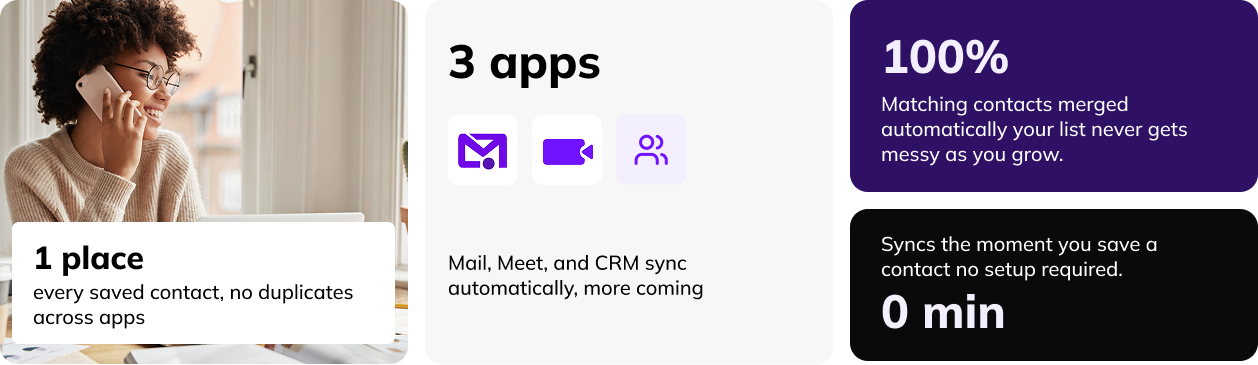
Save a contact once in Snaarp Contacts and it’s already there in Mail, Meet, and CRM — no exporting, no re-typing, no three different versions of the same person.
GDPR compliant · No credit card required


Jordan Micheals
Synced
Works Across the Stack

See Contacts in action.
A 90-second look at how one saved contact shows up everywhere you work, automatically.
Start for £2/monthGet started in 3 easy steps
Save a contact
Add someone in Contacts, or Snaarp saves them automatically the first time you email or meet with them.
It syncs instantly
No import/export — the same card appears in Mail, Meet, and CRM the moment it’s saved.
Stay organized as you grow
Tag, group, and search as your list grows — no cleanup projects, ever.

Jordan Micheals
jordan@brightpath.co
Stop keeping three different contact lists.
Most tools make you save the same person over and over — once in email, once in your calendar tool, once in your CRM. Contacts saves it once and keeps every app updated automatically.
One save, everywhere.
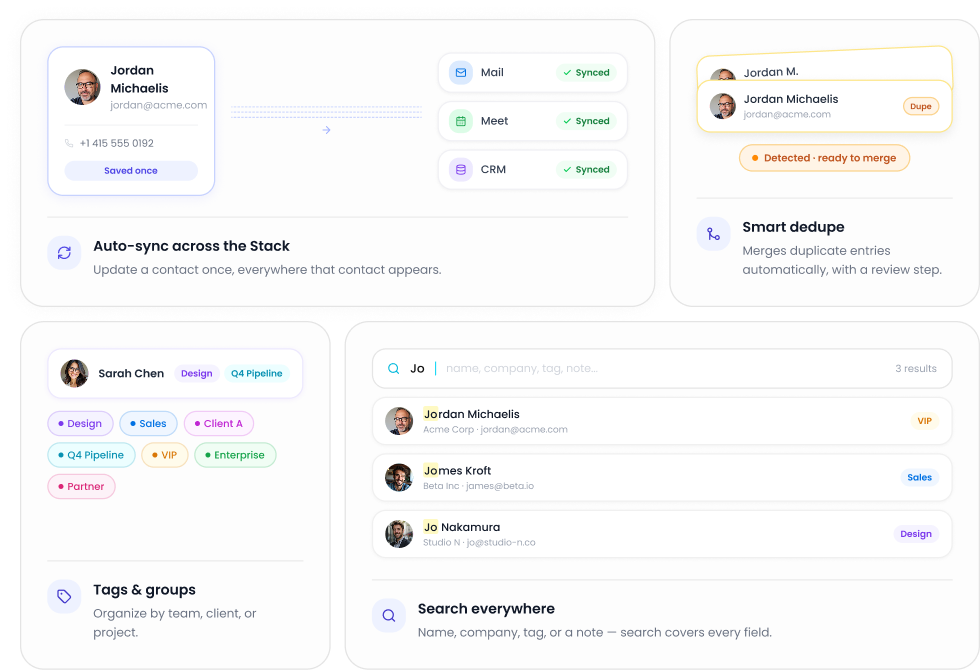
Update a contact once — Mail, Meet, and CRM update instantly.
Smart dedupe.
Matching emails or phone numbers get merged automatically, with a review step first.
No cleanup projects.
Your list stays accurate as your team grows, not messier.
Search that actually finds people.
We see your plan and apps instantly.
No hunting across five different tools to find someone’s info.
Tags & groups.
Organize by team, client, or project — filter and find people in seconds.
Search everywhere.
Find a contact by name, company, tag, or even a note you left on their card.


One card, everywhere you work.
Sales teams stay ready.
Every lead saved in CRM shows up in Mail and Meet before a call.
Support teams see one truth.
A shared view of a customer’s info, no matter which app someone’s in.
Small teams skip the spreadsheets.
One address book instead of five spreadsheets and a stack of business cards.
Contacts, answered.
Do I have to manually add contacts to each app?
No — save once in Contacts, or let Snaarp save them automatically from an email or meeting, and it syncs everywhere.
Can I import my existing contacts?
Yes — import from Gmail, Outlook, or a CSV file in a couple of clicks.
What happens to duplicate contacts?
Contacts detects matching emails or phone numbers and merges them automatically, with a review step before anything’s combined.
Can I organize contacts by team or client?
Yes — use tags and groups to filter your list however works for your team.
Is Contacts included in the £2 Starter plan?
Yes — Contacts is included in every plan, no add-on required.
Start in Minutes
Ready to transform how
you work?
Join thousands of businesses already using Snaarp to save time, reduce costs, and grow faster.
Start the Stack for £2